Wondering how to use your KitchenAid oven’s self-cleaning feature? Yes, you can effectively use the self-cleaning cycle on your KitchenAid oven to keep it sparkling clean. This guide will walk you through the entire process, from preparing your oven to the final wipe-down, ensuring a spotless result with minimal effort.
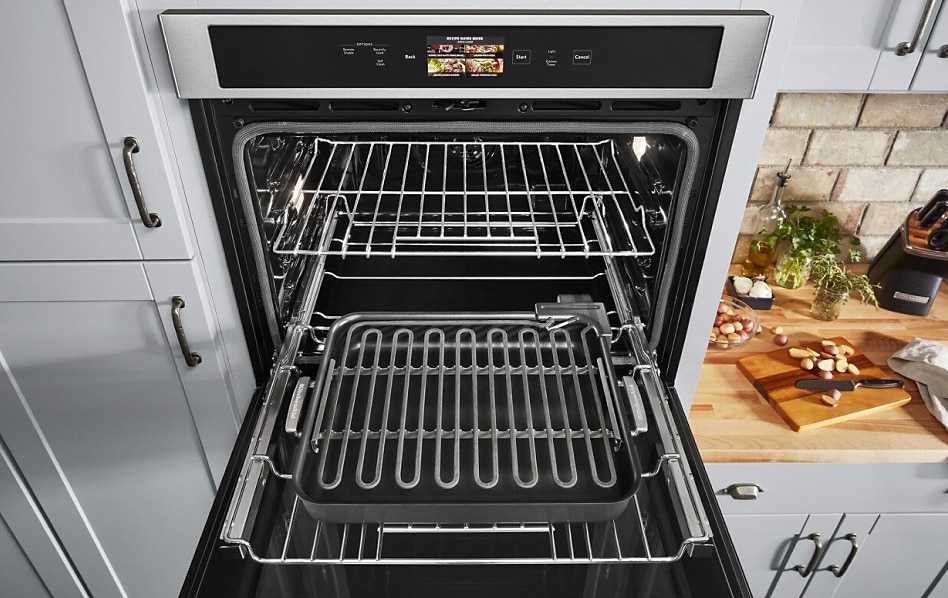
Image Source: www.kitchenaid.com
Getting Your KitchenAid Oven Ready for the Self-Cleaning Cycle
Before you press that magic button, a little preparation goes a long way to ensure a safe and effective self cleaning cycle. This step is crucial for both efficiency and safety.
Removing Oven Racks and Accessories
First things first, always remove your oven racks. These racks are not designed to withstand the extreme heat of the self-cleaning cycle. The high temperatures can warp or discolor them, and they can also scratch the oven’s enamel. Store them in a safe place, perhaps in your sink or on a protected surface, until the cycle is complete and the oven has cooled down. Also, remove any other accessories like oven thermometers or pizza stones.
Addressing Loose Debris and Major Spills
While the self-cleaning cycle is powerful, it’s not a miracle worker for extremely heavy build-up. Take a damp cloth or a non-abrasive sponge and wipe out any loose food particles, crumbs, or major spills. Pay close attention to the bottom of the oven where debris tends to accumulate. This prevents excessive smoke and reduces the chance of burning residue during the cycle.
Protecting Your Kitchen Environment
The self-cleaning cycle generates high heat, which can release fumes. To manage this, ensure your kitchen is well-ventilated. Open windows and turn on your kitchen fan. Consider removing any nearby kitchen towels or curtains that could be near the oven. Some people even place old newspapers or drop cloths on the floor in front of the oven to catch any potential dust or debris that might fall out when the door is opened.
Operating the KitchenAid Self-Cleaning Cycle: Step-by-Step
Once your oven is prepped, it’s time to initiate the cleaning process. Your KitchenAid oven’s control panel will guide you through this.
Locating and Selecting the Self-Clean Function
Every KitchenAid oven model is slightly different, but the self cleaning cycle option is usually clearly marked on the control panel. It might be labeled “Self-Clean,” “Clean,” or have a symbol representing cleaning. Consult your oven’s user manual if you’re unsure where to find it. Select the duration for the self-cleaning cycle. Most models offer options for shorter, medium, or longer cleaning periods, typically ranging from 2 to 4 hours, depending on the level of soil.
Locking the Oven Door
For safety, your oven door will automatically lock once the self-cleaning cycle begins. This prevents accidental opening during the intense heat. Never try to force the oven door open, as this can damage the locking mechanism and pose a safety risk. The door will typically unlock automatically once the oven has cooled down sufficiently.
What Happens During the Cycle?
During the self cleaning cycle, your oven heats up to extremely high temperatures, typically between 800°F and 1000°F (427°C to 538°C). This intense heat burns away food residue, grease, and grime, turning it into a fine, powdery ash. The process is designed to be thorough and efficient.
Post-Cleaning: What to Do After the Cycle Finishes
The self-cleaning cycle is the most intensive part, but the work isn’t entirely done yet. The aftermath requires a bit of attention.
Waiting for the Oven to Cool Down
Safety is paramount. Do not attempt to open the oven door or touch any interior surfaces until the oven has completely cooled down. This can take a significant amount of time, often several hours. Most KitchenAid ovens have an indicator light or display that will show when the cycle is complete and when it is safe to open the door. Be patient; rushing this step can lead to burns.
Wiping Away the Ash Residue
Once the oven has cooled and the door is unlocked, you’ll notice a fine layer of ash on the oven’s interior surfaces. Take a damp cloth or sponge and wipe this ash away. Rinse your cloth or sponge frequently. For stubborn spots, you might need to use a little more pressure or a slightly damp cloth.
Cleaning the Oven Door Seal
Don’t forget the oven door seal. This seal is crucial for maintaining the oven’s temperature during cooking and the self-cleaning cycle. Wipe it gently with a damp cloth. Avoid using any abrasive cleaners or scrubbing pads on the seal, as this can damage it. A gentle wipe is usually sufficient to remove any ash that may have settled there.
Alternative Cleaning Methods: When to Use Them
While the self-cleaning cycle is fantastic, there are times when alternative cleaning methods are more appropriate, or when you need to supplement the self-cleaning process.
Manual Cleaning: A Gentle Approach
For lighter cleaning needs, or if you prefer a more hands-on approach, manual cleaning is a great option. This involves using a mild dish soap and water, or a specialized oven cleaner, applied to a damp cloth or sponge. You can gently scrub the interior surfaces. Always ensure the oven is cool before you begin manual cleaning.
Using Baking Soda Paste for Stubborn Stains
For those particularly tough, baked-on messes that the self-cleaning cycle might not fully eradicate, a baking soda paste can be your best friend. Mix baking soda with a small amount of water to create a thick paste. Apply this paste directly to the stubborn stains, let it sit for at least a few hours (or overnight for very tough spots), and then gently scrub with a damp cloth or sponge. Rinse thoroughly. This is an effective, non-toxic way to tackle grime.
The Power of Vinegar Solution
A vinegar solution can also be helpful in cutting through grease and grime. Mix equal parts white vinegar and water in a spray bottle. Spray the solution onto the interior surfaces of your oven (avoiding the heating elements and the door seal if possible) and let it sit for a while. Then, wipe clean with a damp cloth. For tougher spots, you can heat the vinegar solution in an oven-safe bowl inside the oven at a low temperature for about 20-30 minutes, then wipe down.
Dealing with Burnt Food Residue
Removing burnt food often requires a combination of methods. After the self-cleaning cycle, if you still see remnants of burnt-on food, try the baking soda paste or vinegar solution as described above. For very stubborn, carbonized bits, you might need to gently scrape them with a plastic scraper or an old credit card, being careful not to scratch the enamel.
Maintaining a Clean Oven: Tips for Prevention
Keeping your oven clean between self-cleaning cycles can significantly reduce the need for intensive cleaning and help in preventing oven odors.
Regular Wiping After Cooking
After each use, especially after cooking something that might splatter, let the oven cool slightly and then give the interior a quick wipe with a damp cloth. This simple habit prevents food residue from hardening and becoming difficult to remove later.
Using Baking Sheets and Foil Wisely
When roasting or baking items that are prone to dripping or bubbling over, use a baking sheet or line the bottom rack with aluminum foil (ensure the foil doesn’t block oven vents). This catches most of the drips, protecting the oven floor. However, be cautious about placing foil directly on the oven floor as it can disrupt airflow and damage the oven’s finish. Always refer to your manual for specific recommendations on using foil.
Dealing with Odors During and After Cleaning
If you notice persistent preventing oven odors, it might be due to residue that wasn’t fully removed. Ensure you thoroughly wipe down the oven after a self-cleaning cycle. Sometimes, a lingering smell can be from residue on the oven racks or the oven door seal. If the smell persists after a self-cleaning cycle, try running a manual cleaning cycle with a bowl of baking soda or vinegar inside the oven.
Oven Racks: Specific Cleaning Advice
The oven racks often get coated with grease and grime, and since they can’t go through the self-cleaning cycle, they require separate attention.
Manual Cleaning of Oven Racks
The best way to clean oven racks is through manual scrubbing. You can use a strong dish soap, a scrub brush, and some elbow grease. For tougher grime, soaking the racks in a bathtub with hot water and dish soap or oven cleaner (following product instructions and wearing gloves) can loosen the residue.
Using Oven Cleaner on Racks
If you opt for a commercial oven cleaner, ensure it is safe for use on your oven racks. Apply the cleaner in a well-ventilated area, preferably outdoors or with windows open. Wear gloves and eye protection. Allow the cleaner to work for the time recommended on the product label, then scrub with a brush or steel wool (if appropriate for the rack material) and rinse thoroughly. Ensure all cleaner residue is removed before placing them back in the oven.
The Oven Door Seal: A Crucial Component
The oven door seal is vital for oven performance. Keeping it clean and intact ensures efficient heating and prevents heat from escaping.
Gentle Cleaning of the Door Seal
As mentioned earlier, the oven door seal should only be cleaned with a soft, damp cloth and mild soap if necessary. Avoid harsh chemicals, abrasive scrubbers, or excessive water, as these can degrade the material. Ensure the seal is completely dry before closing the oven door. Inspect the seal regularly for any signs of wear or damage. A damaged seal might need professional replacement.
When to Call a Professional
While most KitchenAid ovens are designed for user-friendly cleaning, there are instances where professional help might be needed.
Malfunctions with the Self-Cleaning Cycle
If your oven’s self cleaning cycle isn’t heating up, the door isn’t locking, or it’s emitting excessive smoke beyond normal operational fumes, there might be an issue with the oven’s components. In such cases, it’s best to contact a qualified KitchenAid appliance repair technician.
Damage to Oven Components
If you suspect you’ve damaged the oven door seal, heating elements, or any other internal components through improper cleaning or operation, a professional can assess the damage and perform necessary repairs. Attempting to repair complex oven parts yourself can be dangerous and may void your warranty.
Frequently Asked Questions (FAQ)
Q1: Can I leave my oven racks inside during the self-cleaning cycle?
A1: No, it is strongly advised not to leave oven racks inside during the self cleaning cycle. The extreme heat can damage them, causing warping or discoloration. Always remove them beforehand.
Q2: How long does the KitchenAid self-cleaning cycle typically last?
A2: The duration of the self cleaning cycle varies depending on the model and the soil level selected. It typically ranges from 2 to 4 hours, plus additional time for the oven to cool down completely.
Q3: Is it safe to stay in the house while the self-cleaning cycle is running?
A3: Yes, it is generally safe to stay in the house. However, it’s recommended to ventilate the kitchen by opening windows and turning on the exhaust fan, as some fumes may be released. If you have respiratory sensitivities or pets, you may want to spend time in a different part of the house or leave the premises during the cycle.
Q4: How often should I use the self-cleaning cycle?
A4: The frequency depends on your cooking habits. For most households, using the self cleaning cycle once every 1-3 months is sufficient. If you cook a lot of greasy or messy foods, you might need to use it more often.
Q5: What should I do if my oven produces a lot of smoke during the self-cleaning cycle?
A5: A small amount of smoke is normal, but excessive smoke usually indicates too much residue build-up or improper preparation. If you experience excessive smoke, turn off the cycle immediately and allow the oven to cool. Once cool, perform a thorough manual cleaning to remove excess debris before attempting the self-cleaning cycle again. Ensure there are no food particles stuck to the oven walls.
Q6: Can I use a commercial oven cleaner on my KitchenAid oven interior?
A6: For the oven interior, it is generally recommended to use the self cleaning cycle or mild cleaning solutions like baking soda paste or a vinegar solution. Commercial oven cleaner can be very harsh and may damage the oven’s enamel or catalytic liners. Always check your user manual before using any chemical cleaner.
By following these detailed steps and tips, you can effectively and safely use your KitchenAid oven’s self-cleaning feature, keeping your appliance in top condition and your kitchen sparkling clean. Remember, regular maintenance and careful preparation are key to achieving the best results.