What is the easiest way to operate a KitchenAid dishwasher? The easiest way to operate a KitchenAid dishwasher is to follow a few simple steps: load it correctly, add detergent and rinse aid, select the right cycle and settings, and then start it. This guide will walk you through each of these steps, making your dishwasher experience smooth and efficient.
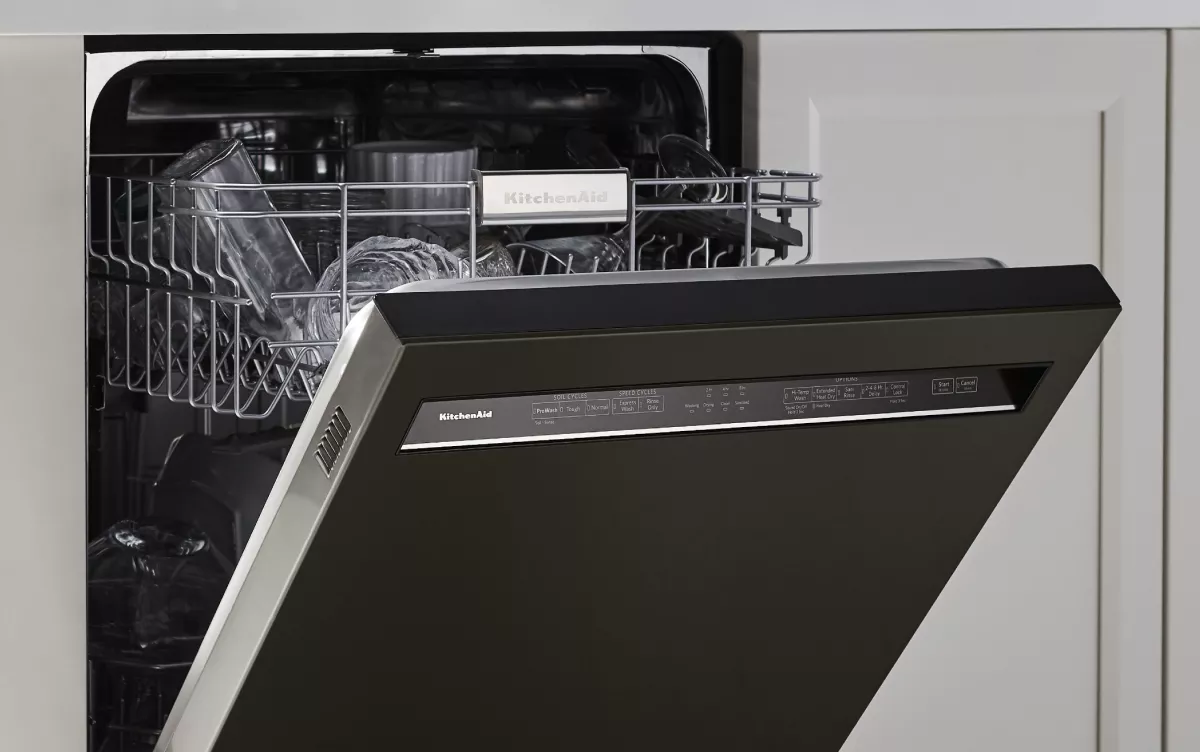
Image Source: kitchenaid-h.assetsadobe.com
Getting to Know Your KitchenAid Dishwasher
Your KitchenAid dishwasher is designed to make your life easier. It’s a smart appliance that cleans your dishes effectively with various cycles and settings. This guide will help you master its operation, from loading to maintenance.
Deciphering Your KitchenAid Dishwasher Manual
Every KitchenAid dishwasher comes with a KitchenAid dishwasher manual. This booklet is your best friend for learning all the ins and outs of your specific model. It contains detailed information about its features, cycles, settings, and troubleshooting tips. If you can’t find your physical manual, you can usually download a PDF version from the KitchenAid website by entering your dishwasher’s model number. Always refer to your manual for model-specific instructions.
Essential Parts of Your Dishwasher
Before you start loading KitchenAid dishwasher, it’s helpful to know the basic parts:
- Racks: Upper and lower racks for holding dishes, glasses, and cutlery.
- Cutlery Basket: A separate basket, often in the lower rack, for silverware.
- Detergent Dispenser: A compartment, usually on the inside of the door, where you put dishwasher detergent.
- Rinse Aid Dispenser: Another compartment, often next to the detergent dispenser, for rinse aid.
- Control Panel: The interface where you select cycles and settings.
- Filter: A system that traps food particles to prevent them from recirculating.
Preparing for a Wash Cycle
Proper preparation ensures your dishes come out sparkling clean. This involves two key elements: loading and adding the right cleaning agents.
Loading KitchenAid Dishwasher Like a Pro
Correct loading is crucial for optimal cleaning. Here’s how to do it:
Loading the Lower Rack
- Plates and Bowls: Place larger plates and bowls facing inward, towards the center spray arm. Ensure they are not touching each other to allow water to reach all surfaces.
- Pots and Pans: Position them with the dirtiest side facing down, angled towards the spray arm.
- Large Utensils and Serving Spoons: Lay them flat in the rack, ensuring they don’t block the spray arm.
- Avoid Overcrowding: Give dishes enough space so water and detergent can circulate freely.
Loading the Upper Rack
- Glasses and Cups: Place them upside down on the tines. Smaller glasses can go between the tines.
- Mugs and Bowls: Position them upside down or at an angle so water can drain out.
- Plastic Items: It’s often best to place lighter plastic items in the upper rack, as it’s further from the heating element, which can prevent warping.
- Tall Items: Be mindful of taller items that might interfere with the spray arm’s rotation.
Loading the Cutlery Basket
- Mix Items: Place forks and spoons with handles up and down to prevent nesting.
- Knives: Always place knives with the blades facing down for safety.
- Separation is Key: Avoid grouping too many utensils together in one spot.
Adding Detergent and Rinse Aid
Your KitchenAid dishwasher needs detergent to clean and rinse aid to help with drying and prevent spots.
Dishwasher Detergent
- Types: Use only dishwasher detergent designed for automatic dishwashers. Never use liquid dish soap, as it can cause excessive suds and overflow.
- Amount: Check your KitchenAid dishwasher manual for the recommended amount for your load size and water hardness. Typically, one to two tablespoons of powder or one pod is sufficient.
- Placement: Put the detergent in the main wash compartment of the dispenser.
KitchenAid Dishwasher Rinse Aid
- Purpose: Rinse aid is a wetting agent that reduces the surface tension of water, helping dishes dry faster and preventing water spots.
- Refilling: Locate the rinse aid dispenser, usually next to the detergent dispenser. Open it and fill it with liquid rinse aid until it reaches the indicator line or stops. Most dispensers have an indicator to show when it’s low.
- Setting: Many KitchenAid dishwashers allow you to adjust the rinse aid setting. Refer to your manual for how to do this. Higher settings dispense more rinse aid, which can be beneficial in hard water areas.
Selecting the Right Cycle and Settings
KitchenAid dishwashers offer a variety of KitchenAid dishwasher cycles and KitchenAid dishwasher settings to suit different needs. Choosing the correct ones ensures optimal cleaning performance and energy efficiency.
Common KitchenAid Dishwasher Cycles
Your KitchenAid dishwasher cycles list typically includes:
- Normal/Auto: This is your everyday cycle, suitable for most loads of dishes with normal soil. The dishwasher may use sensors to determine the soil level and adjust the wash time and water usage accordingly.
- Heavy Duty/Pots & Pans: Designed for heavily soiled dishes, pots, and pans with baked-on food. This cycle uses higher water temperatures and longer wash times.
- Light/China: This cycle is for lightly soiled dishes or delicate items like china. It uses lower water temperatures and gentler washing action.
- Quick Wash/Express: For lightly soiled loads that need to be cleaned quickly. It’s a shorter cycle but may not be as effective on tough stains.
- Rinse Only: Use this cycle if you want to rinse dishes but not wash them immediately. It helps prevent food from drying on.
- Sanitize: This cycle uses very high water temperatures to kill bacteria and sanitize your dishes. It’s often certified by NSF International.
- Half Load: If you don’t have a full load, this setting uses less water and energy.
Customizing KitchenAid Dishwasher Settings
Beyond cycles, you can often fine-tune your wash with additional KitchenAid dishwasher settings:
- Water Filtration: Some models have advanced water filtration systems that remove food particles from the wash water, preventing them from redepositing onto dishes.
- Soil Level: You might be able to manually select the soil level if your dishwasher doesn’t have an auto-sensing feature.
- High-Temp Wash: This setting increases the water temperature for enhanced cleaning and sanitization.
- Heat Dry: Activates the heating element to aid in drying. You may be able to disable this to save energy.
- Delay Start: Allows you to set the dishwasher to start a cycle at a later time, so you can take advantage of off-peak energy rates or have clean dishes ready when you wake up.
- Child Lock: A feature to prevent accidental operation.
- Quiet/Sleeper Mode: Reduces noise levels, often by adjusting spray intensity or fan speed.
Table: Common Dishwasher Cycles and Their Uses
| Cycle Name | Best For | Notes |
|---|---|---|
| Normal/Auto | Everyday dishes with normal food soil | Often uses sensors to adapt to soil level. A good all-around choice. |
| Heavy Duty/Pots & Pans | Greasy cookware, pots, pans, and heavily soiled items | Uses higher temperatures and longer wash times. |
| Light/China | Lightly soiled dinnerware, crystal, delicate items | Gentle wash action with lower temperatures to protect fragile items. |
| Quick Wash/Express | Lightly soiled loads needing a fast turnaround | Shorter cycle; may not be ideal for tough stains. |
| Rinse Only | To rinse dishes before a full wash, preventing food from drying on | No detergent used; simply rinses away loose food particles. |
| Sanitize | Items needing thorough disinfection (baby bottles, cutting boards) | Uses high temperatures (often 155°F / 68°C or higher) to kill bacteria. Usually NSF certified. |
| Half Load | When you have fewer dishes than a full load | Conserves water and energy by adjusting the wash parameters for smaller loads. |
Starting Your KitchenAid Dishwasher
Once everything is loaded and set, it’s time to begin the wash.
The Steps to Starting KitchenAid Dishwasher
- Close the Door: Ensure the dishwasher door is securely latched. You should hear a click.
- Select Cycle: Press the button for your chosen cycle (e.g., Normal, Heavy Duty).
- Select Settings: Press any additional settings you want to use (e.g., High-Temp Wash, Delay Start).
- Press Start: Press the Start button. The dishwasher will typically pause for a few seconds before beginning the fill cycle.
- Monitor: Many KitchenAid dishwashers have indicator lights or displays that show the cycle progress.
What to Expect During the Cycle
- Water Filling: You’ll hear water entering the dishwasher.
- Washing: The spray arms will rotate, spraying water and detergent onto the dishes. You might hear the motor running.
- Draining: Water is pumped out of the dishwasher between wash and rinse cycles.
- Rinsing: The dishwasher fills with clean water and sprays it onto the dishes.
- Drying: Depending on the cycle and settings, the heating element may activate to help dry the dishes.
KitchenAid Dishwasher Maintenance for Longevity
Regular KitchenAid dishwasher maintenance will keep your appliance running smoothly and efficiently for years to come.
Routine Cleaning Tasks
-
Clean the Filter: This is arguably the most important maintenance task. Food particles and debris get trapped in the filter, which can affect cleaning performance and even cause odors.
- Locate the filter, usually at the bottom of the tub.
- Most KitchenAid filters are removable. Consult your KitchenAid dishwasher manual for specific removal instructions.
- Rinse the filter under warm running water. For stubborn debris, use a soft brush.
- Reinstall the filter correctly.
- Frequency: Check and clean the filter at least once a month, or more often if you notice reduced cleaning performance.
-
Wipe Down the Door Seal: The rubber seal around the door can accumulate food debris and mold. Wipe it down regularly with a damp cloth and mild soap.
- Clean the Interior: Occasionally, run an empty hot cycle with a dishwasher cleaner or a cup of white vinegar placed on the bottom rack. This helps remove grime, hard water deposits, and odors.
- Clean the Spray Arms: If you notice poor spray performance, the holes in the spray arms might be clogged.
- Remove the spray arms (refer to your manual).
- Use a toothpick or a small brush to clear any blockages.
- Rinse them and reinstall.
Keeping the Exterior Clean
- Stainless Steel: Use a soft, damp cloth and a stainless steel cleaner. Wipe in the direction of the grain.
- Control Panel: Wipe gently with a soft, damp cloth. Avoid abrasive cleaners or excess moisture.
KitchenAid Dishwasher Troubleshooting
Even with the best care, you might encounter issues. Here’s some KitchenAid dishwasher troubleshooting for common problems.
Common Problems and Solutions
| Problem | Possible Cause | Solution |
|---|---|---|
| Dishes not cleaning properly | 1. Improper loading: Overcrowding, items blocking spray arms. 2. Clogged filter: Food debris restricts water flow. 3. Low water temperature: Water heater setting too low. 4. Dirty spray arms: Blocked spray holes. 5. Wrong detergent: Using hand dish soap or insufficient detergent. 6. Hard water: Mineral deposits affecting cleaning. 7. Worn wash arm seal: Water escaping. | 1. Reload dishes: Ensure adequate spacing and that spray arms can rotate freely. 2. Clean the filter: Thoroughly clean the filter. 3. Check water heater: Set to at least 120°F (49°C). 4. Clean spray arms: Remove and clear blockages. 5. Use correct detergent: Use a high-quality automatic dishwasher detergent. 6. Use rinse aid: Consider a stronger rinse aid setting or dishwasher cleaner. 7. Contact service: If you suspect a worn seal. |
| Dishwasher not draining | 1. Kinked drain hose: Hose is bent or blocked. 2. Clogged drain filter: At the bottom of the tub or in the plumbing. 3. Clogged garbage disposal: If the dishwasher drains into one. 4. Faulty drain pump: The pump may have failed. | 1. Check drain hose: Ensure it’s straight and not kinked. 2. Clean filter/drain: Remove and clean any debris from the tub filter and check the drain hose connection point. 3. Clear garbage disposal: Run the disposal with water. 4. Contact service: If the pump appears faulty. |
| Dishwasher leaking | 1. Door not latched properly: Loose seal. 2. Damaged door seal: Cracked or torn. 3. Overuse of detergent: Creates excess suds that push past the seal. 4. Damaged tub or racks: Can cause water to escape. 5. Improper loading: Large items pushing against the door. | 1. Ensure door is latched: Push firmly until it clicks. 2. Inspect and replace seal: If damaged. 3. Use correct detergent amount: Avoid using more than recommended. 4. Contact service: For tub or rack damage. 5. Reload dishes: Check for obstructions. |
| Dishes not drying properly | 1. Rinse aid empty or setting too low: Insufficient rinse aid. 2. Heat dry option not selected: If available. 3. Overcrowding: Prevents hot air circulation. 4. Plastic items: Plastics don’t retain heat and dry as well as ceramic or glass. 5. High humidity: Can affect drying performance. 6. Clogged filter: Can reduce water heating efficiency. | 1. Refill rinse aid dispenser: Adjust setting if needed. 2. Select Heat Dry option: If available on your model. 3. Reload dishes: Allow space for airflow. 4. Acceptable outcome: Understand that plastics may not dry perfectly. 5. Allow ambient drying: Open the door after the cycle. 6. Clean filter: Ensure the filter is clean. |
| Dishwasher making unusual noises | 1. Hard objects in tub: Utensils fallen through racks. 2. Worn spray arm: Can cause imbalance. 3. Foreign objects in pump: Small items like seeds or glass shards. 4. Motor issues: Grinding or humming noises. | 1. Check tub for objects: Remove any fallen items. 2. Inspect spray arms: Ensure they are properly seated and not damaged. 3. Clean pump inlet: Carefully check and clean the pump area. 4. Contact service: For potential motor problems. |
| Odors in the dishwasher | 1. Food particles in filter: Decomposing food. 2. Dirty door seal: Mold growth. 3. Stagnant water in pump: If not used frequently. 4. Mineral buildup: From hard water. | 1. Clean the filter regularly. 2. Wipe the door seal with a damp cloth and mild soap. 3. Run a Rinse Only cycle occasionally if the dishwasher sits unused. 4. Run an empty hot cycle with vinegar or a specialized dishwasher cleaner. |
Decoding KitchenAid Dishwasher Error Codes
Your KitchenAid dishwasher error codes are designed to help you diagnose problems. If your dishwasher displays an error code, consult your KitchenAid dishwasher manual for a specific explanation and recommended actions. Common error codes often relate to:
- Water Inlet Issues: (e.g., ’14’ or ’17’ on some models) indicates a problem with water filling the tub.
- Drainage Issues: (e.g., ’18’, ’20’) suggests the dishwasher isn’t draining properly.
- Heating Issues: (e.g., ‘H2’ or ‘H9’) indicates a problem with the water heating element.
- Door Lock Issues: (e.g., ‘E0’) means the door isn’t locking correctly.
Always refer to your specific model’s manual for accurate interpretation and troubleshooting steps for any displayed error codes.
Frequently Asked Questions (FAQ)
How often should I clean my KitchenAid dishwasher?
It’s recommended to clean the filter at least once a month. A deeper clean of the interior and spray arms can be done every 3-6 months, or as needed if you notice performance issues or odors.
Can I wash wooden items in my KitchenAid dishwasher?
No, it’s generally not recommended to wash wooden items, including cutting boards and wooden-handled utensils, in a dishwasher. The hot water, harsh detergents, and drying cycles can cause wood to warp, crack, or split.
Why are my dishes still wet after the cycle?
This can be due to insufficient rinse aid, the heat dry option being turned off, overcrowding the dishwasher, or a high-water content in the air. Ensure your rinse aid dispenser is full and consider using the heat dry option if available.
What is the best way to prevent spots on my glassware?
Using KitchenAid dishwasher rinse aid is crucial for preventing spots. Ensure the dispenser is filled and the setting is appropriate for your water hardness. Also, avoid overloading the dishwasher, as this can impede proper drying.
How do I know if my dishwasher needs professional service?
If you’ve tried basic troubleshooting and the problem persists, or if you encounter error codes that you can’t resolve with your manual, it’s time to contact a qualified appliance repair technician. Issues with the pump, heating element, or control board often require professional attention.
By following these guidelines, you can confidently operate and maintain your KitchenAid dishwasher, ensuring sparkling clean dishes with every wash. Remember to always consult your KitchenAid dishwasher manual for model-specific instructions and advanced features.