Can you replace a Moen kitchen faucet cartridge yourself? Yes, you absolutely can! Replacing a Moen faucet cartridge is a straightforward DIY project that can fix common issues like drips and leaks, saving you money and hassle. This guide will walk you through the entire process, from identifying the problem to enjoying your newly functional faucet.
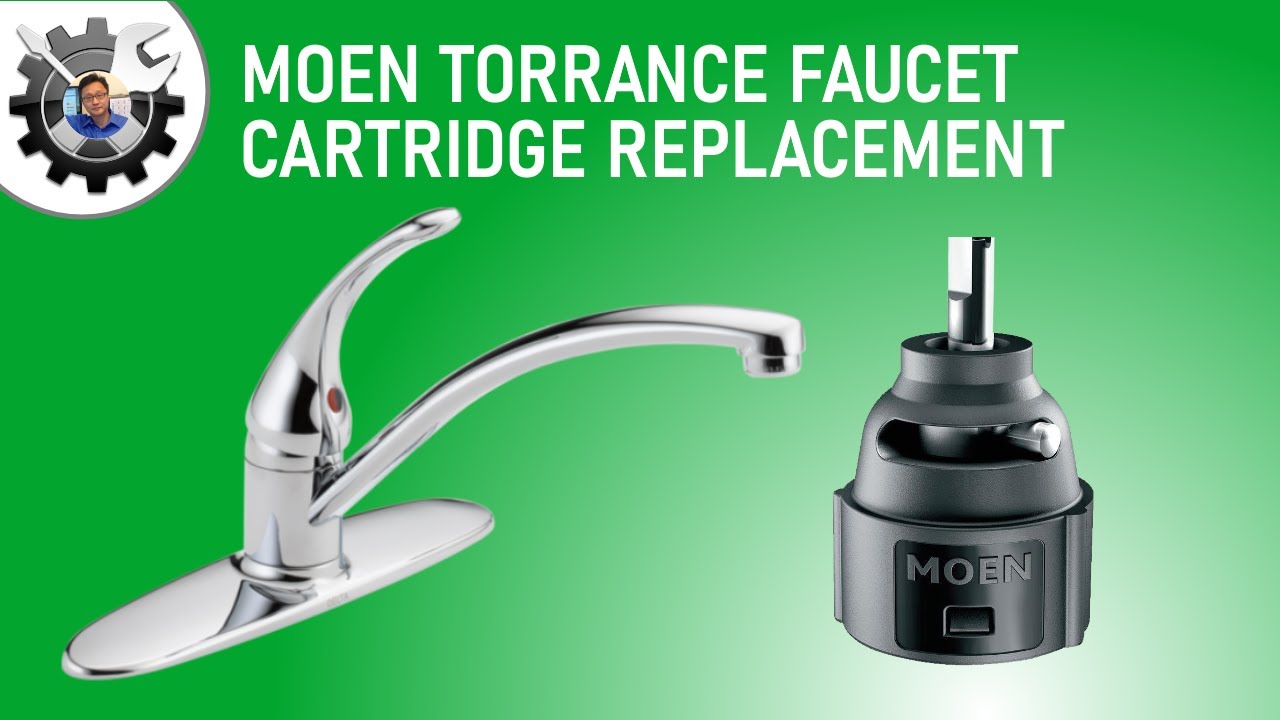
Image Source: i.ytimg.com
Why Your Moen Faucet Needs a New Cartridge
Over time, the internal cartridge of your Moen kitchen faucet can wear out. This is a common cause of fixing Moen faucet drip issues. When the seals inside the cartridge degrade, water can seep past them, leading to that annoying drip, drip, drip. It can also be the culprit behind a persistent Moen faucet water leak. If you notice water pooling around the base of the faucet or a leak from the spout when the handle is off, a worn-out cartridge is a prime suspect.
Signs Your Cartridge Might Be Failing
- Dripping Spout: The most obvious sign. Even when the handle is firmly in the off position, water continues to flow.
- Stiff Handle: The handle might become difficult to move, turn, or lift. This indicates friction or damage within the cartridge.
- Leaking Base: Water leaking from around the faucet base often points to a faulty cartridge or its seals.
- Difficulty Regulating Temperature/Flow: If it’s hard to find the right mix of hot and cold water, or if the water pressure fluctuates unexpectedly, the cartridge might be the issue.
- Loose Handle: The handle might feel wobbly or loose, even after tightening any visible screws.
Gathering Your Moen Faucet Cartridge Replacement Tools and Parts
Before you start, it’s crucial to have all the necessary tools and the correct Moen faucet cartridge parts ready. This will make the Moen kitchen faucet repair much smoother.
Essential Tools You’ll Need:
- Screwdriver Set: You’ll likely need a Phillips head screwdriver and potentially a flathead screwdriver.
- Adjustable Wrench or Pliers: For loosening and tightening various nuts and components.
- Allen Wrench Set: Some Moen faucets have a set screw that requires an Allen wrench.
- Rag or Towel: To catch any residual water and protect your sink.
- Bucket: To place under the faucet to catch water.
- Plumber’s Grease or Silicone Lubricant: To help new O-rings and the new cartridge slide into place easily.
- Penetrating Oil (Optional but Recommended): For stubborn parts that may be corroded or difficult to remove.
- Moen Cartridge Removal Tool: While not always strictly necessary, this specialized tool makes Moen cartridge removal significantly easier and prevents damage to the faucet body. It’s highly recommended for a smoother process. You can often find these at hardware stores or online.
- Replacement Moen Faucet Cartridge: This is the most critical part!
Finding the Right Replacement Cartridge
This is perhaps the most important step in the Moen faucet cartridge replacement process. Moen uses various types of cartridges for different faucet models.
How to Identify Your Faucet Model:
- Look for a Model Number: Check the underside of the spout, the back of the faucet body, or the escutcheon plate (the decorative plate behind the handle). Sometimes, there’s a sticker or engraving.
- Check Your Faucet’s Manual or Packaging: If you still have them, these are the best sources of information.
- Take Photos: If you can’t find a model number, take clear photos of your faucet, especially the handle area, and bring them to a hardware store or consult the Moen website.
- Use Moen’s Website: Moen has a great support section on their website. You can often find guides or even a tool to help you identify your faucet based on its appearance and features.
- Contact Moen Customer Support: They can help you identify the correct cartridge based on your faucet’s appearance or any identifying marks.
Types of Moen Cartridges:
Moen uses several types of cartridges, but the most common for kitchen faucets are:
- 1225 Cartridge: This is a very common cartridge found in many single-handle Moen faucets. It’s often referred to as the “cold-to-hot” cartridge.
- 1234 Cartridge: Another common single-handle cartridge.
- 1255 Cartridge: Often found in newer single-handle models.
- Cartridges for Two-Handle Faucets: If you have a Moen two handle faucet cartridge replacement needs, the cartridges will be different from single-handle models. These typically come in pairs, one for hot and one for cold, and are often simpler ceramic disc cartridges.
Important Note: Using the wrong cartridge will prevent your faucet from working correctly and could cause further damage. Always confirm you have the correct Moen faucet cartridge parts before proceeding.
Step-by-Step Guide to Moen Faucet Cartridge Replacement
Now, let’s get to the actual change Moen faucet cartridge process.
Step 1: Shut Off the Water Supply
This is a non-negotiable first step. Locate the shut-off valves under your sink. These are typically small, oval-shaped knobs connected to the pipes leading to your faucet.
- Turn the handles of both the hot and cold water shut-off valves clockwise until they are snug.
- Turn on your faucet to relieve any remaining water pressure and to confirm the water is indeed shut off. Make sure no water flows out.
Step 2: Prepare the Faucet Handle Area
Now it’s time to access the cartridge. The handle will need to be removed.
- Locate the Handle Screw or Set Screw:
- Single Handle Faucets: Most single-handle Moen faucets have a small decorative cap or cover at the front or side of the handle. Gently pry this cap off with a flathead screwdriver or a utility knife to reveal a Phillips head screw or an Allen set screw.
- Two Handle Faucets: You may need to pry off a decorative cap on top of the handle or unscrew the handle itself from the stem.
- Remove the Screw: Use the appropriate screwdriver or Allen wrench to remove the screw.
- Remove the Handle: Once the screw is out, the handle should lift straight off or pull away from the faucet body. If it’s stuck, a gentle wiggle might help. Avoid excessive force, as this can damage the faucet.
Step 3: Remove the Trim and Escutcheon
After removing the handle, you’ll see a decorative trim piece, sometimes called a bonnet nut or escutcheon.
- Loosen the Bonnet Nut/Trim: This piece may screw off by hand, or you might need your adjustable wrench. Turn it counterclockwise. If it’s tight, use the wrench carefully, protecting the finish with a rag if necessary.
- Remove the Escutcheon: Once the bonnet nut is loosened, you can usually slide off the decorative escutcheon.
Step 4: Accessing the Cartridge – The Critical Part!
This is where the Moen cartridge removal tool becomes invaluable. The cartridge is usually secured by a retaining clip or a threaded collar.
- Identify the Cartridge: You’ll see the cylindrical cartridge protruding from the faucet body.
- Remove the Retaining Clip (if present): Some Moen cartridges have a small metal clip that holds them in place. This clip usually slides out with a flathead screwdriver or needle-nose pliers. Note its orientation so you can reinsert the new one correctly.
- Remove the Cartridge:
- Without the Removal Tool: This can be tricky. You might need to use pliers to grip the stem of the cartridge and twist and pull it out. However, this can sometimes damage the cartridge or the faucet body. Try to pull it straight up, wiggling gently. If it’s very stubborn, a penetrating oil might help.
- With the Moen Cartridge Removal Tool: This is the preferred method. The tool typically has a threaded end that screws onto the cartridge stem and a handle or leverage point to pull the cartridge straight out. Follow the instructions specific to your Moen removal tool. This tool is designed to grip the cartridge securely and provide leverage for smooth extraction. It’s particularly helpful for Moen single handle faucet cartridge replacements.
Step 5: Clean the Faucet Body
Before inserting the new cartridge, it’s a good idea to clean out the faucet body where the cartridge sits.
- Use a damp cloth to wipe away any sediment, mineral deposits, or old grease.
- Ensure the opening is clear and smooth for the new cartridge.
Step 6: Prepare and Install the New Cartridge
Now it’s time to install new Moen cartridge.
- Lubricate: Apply a thin layer of plumber’s grease or silicone lubricant to the rubber O-rings on the new cartridge. This will help it slide in easily and create a better seal.
- Align the Cartridge: Most cartridges have a specific orientation. Look for notches or flat spots on the cartridge and corresponding grooves inside the faucet body. Moen cartridges, especially the popular Moen 1225 cartridge, often have a specific way they need to be seated. The handle stem usually aligns with a specific slot.
- Insert the New Cartridge: Gently push the new cartridge straight into the faucet body until it’s fully seated. You might feel a slight click or resistance as it settles into place.
- Replace the Retaining Clip (if applicable): If your old cartridge had a retaining clip, slide the new one into its proper position, ensuring it holds the cartridge securely.
Step 7: Reassemble the Faucet
Now, reverse the steps you took to disassemble the faucet.
- Replace the Escutcheon and Bonnet Nut: Screw the bonnet nut back on clockwise, tightening it snugly with your hand or the wrench. Do not overtighten.
- Reattach the Handle: Place the handle back onto the stem and secure it with the screw you removed earlier.
- Replace the Decorative Cap: Snap the decorative cap back into place on the handle.
Step 8: Turn the Water Supply Back On
- Slowly turn the hot and cold water shut-off valves back on (counterclockwise).
- Turn on your faucet to check for leaks and to test the operation.
Step 9: Test the Faucet
- Check for any leaks around the handle, spout, or base.
- Operate the handle to ensure smooth movement and proper water flow.
- Test the temperature control to make sure hot and cold water are mixing correctly.
- If you notice any drips, you may need to slightly tighten the bonnet nut or, in rare cases, ensure the cartridge is seated perfectly.
Troubleshooting Common Issues
Even with careful work, you might encounter a snag. Here are some common problems and how to address them:
The Faucet Still Drips After Cartridge Replacement
- Incorrect Cartridge: Double-check that you used the exact correct Moen faucet cartridge parts. Even slight variations can cause issues.
- Cartridge Not Seated Properly: The new cartridge might not be fully seated in the faucet body. You may need to remove the handle and trim again and re-seat the cartridge, ensuring it clicks or settles into place correctly.
- Debris in the Valve Seat: Tiny pieces of debris left inside the faucet body can prevent a proper seal. Remove the cartridge again and thoroughly clean the opening.
- Cracked Faucet Body: In very rare cases, the faucet body itself might be damaged, requiring a full faucet replacement.
The Handle is Still Stiff or Difficult to Move
- Not Enough Lubrication: The new cartridge or O-rings might not have been lubricated sufficiently. You may need to remove the handle and trim, then re-lube the cartridge and its entry point.
- Cartridge Binding: The cartridge might be binding if it wasn’t inserted perfectly straight. Try removing and reinserting it, ensuring it goes in smoothly.
- Wrong Cartridge Type: An incompatible cartridge can cause resistance.
Leaks from the Handle Area
- Bonnet Nut Not Tight Enough: Try tightening the bonnet nut slightly.
- Damaged O-rings: Ensure the O-rings on the cartridge were intact and properly lubricated. If they were damaged during installation, you might need a new cartridge or an O-ring kit.
Specifics for Moen Single Handle vs. Two Handle Faucets
While the general process is similar, there are some nuances for different types of Moen faucets.
Moen Single Handle Faucet Cartridge Replacement
The Moen single handle faucet cartridge is the most common type for kitchen faucets. The process described above primarily focuses on these models. The use of a Moen cartridge removal tool is particularly beneficial here due to the integrated nature of the single handle mechanism. When dealing with a Moen single handle faucet cartridge, pay close attention to the alignment of the stem and any specific notches designed to prevent incorrect installation. The Moen 1225 cartridge, for instance, is a prime example of this.
Moen Two Handle Faucet Cartridge Replacement
Replacing a Moen two handle faucet cartridge typically involves two separate cartridges, one for hot and one for cold.
- Access: You’ll usually remove the handle by unscrewing a cap on top or by finding a set screw on the side.
- Cartridge Type: These cartridges are often ceramic disc types, which are generally more durable than older compression-style cartridges. They might not require a special removal tool but could have a threaded collar that needs to be unscrewed with an adjustable wrench.
- Replacement: Carefully note the position of the hot and cold cartridges, as they are usually specific to each side. Replace them one at a time to avoid confusion.
- Testing: After replacing both, turn on the water slowly and test both hot and cold handles.
Frequently Asked Questions (FAQ)
Q1: How often should a Moen faucet cartridge be replaced?
A1: There’s no set schedule. A Moen faucet cartridge typically lasts for many years, often 5-10 years or more. Replacement is usually only needed when you experience problems like dripping, leaks, or stiff handles.
Q2: Can I use a universal cartridge in my Moen faucet?
A2: It is strongly recommended to use only genuine Moen replacement cartridges specifically designed for your faucet model. Universal cartridges may not fit correctly or provide the same performance and longevity, potentially leading to leaks or malfunctions.
Q3: My faucet handle is very hard to remove. What should I do?
A3: If the handle is stuck, first ensure you have removed all screws. Sometimes, mineral buildup can cause it to stick. You can try gently tapping around the base of the handle with the plastic handle of a screwdriver or a rubber mallet. If it remains stubborn, a small amount of penetrating oil applied carefully might help loosen it, but be sure to wipe away any excess before proceeding.
Q4: What is the difference between a 1225 and a 1234 Moen cartridge?
A4: Both are common single-handle cartridges used by Moen, but they are designed for different faucet models and have internal differences in their mechanism. The 1225 is often found in older models and some utility faucets, while the 1234 is common in many widespread and widespread kitchen faucets. It is crucial to identify your faucet model accurately to get the correct Moen faucet cartridge parts.
Q5: How do I know if I have a Moen faucet?
A5: Moen faucets are usually marked with the Moen logo prominently on the faucet body, often on the front or the base. If you are unsure, check your home’s plumbing records, look for any product manuals, or consult Moen’s website for identification guides.
Q6: Is it difficult to replace a Moen faucet cartridge?
A6: For most homeowners, replacing a Moen faucet cartridge is a manageable DIY task. With the right tools, especially a Moen cartridge removal tool, and by following these steps carefully, you can successfully complete the repair.
By following this comprehensive guide, you should be well-equipped to tackle your Moen faucet cartridge replacement and enjoy a leak-free, smoothly operating kitchen faucet once again. Happy fixing!